1.
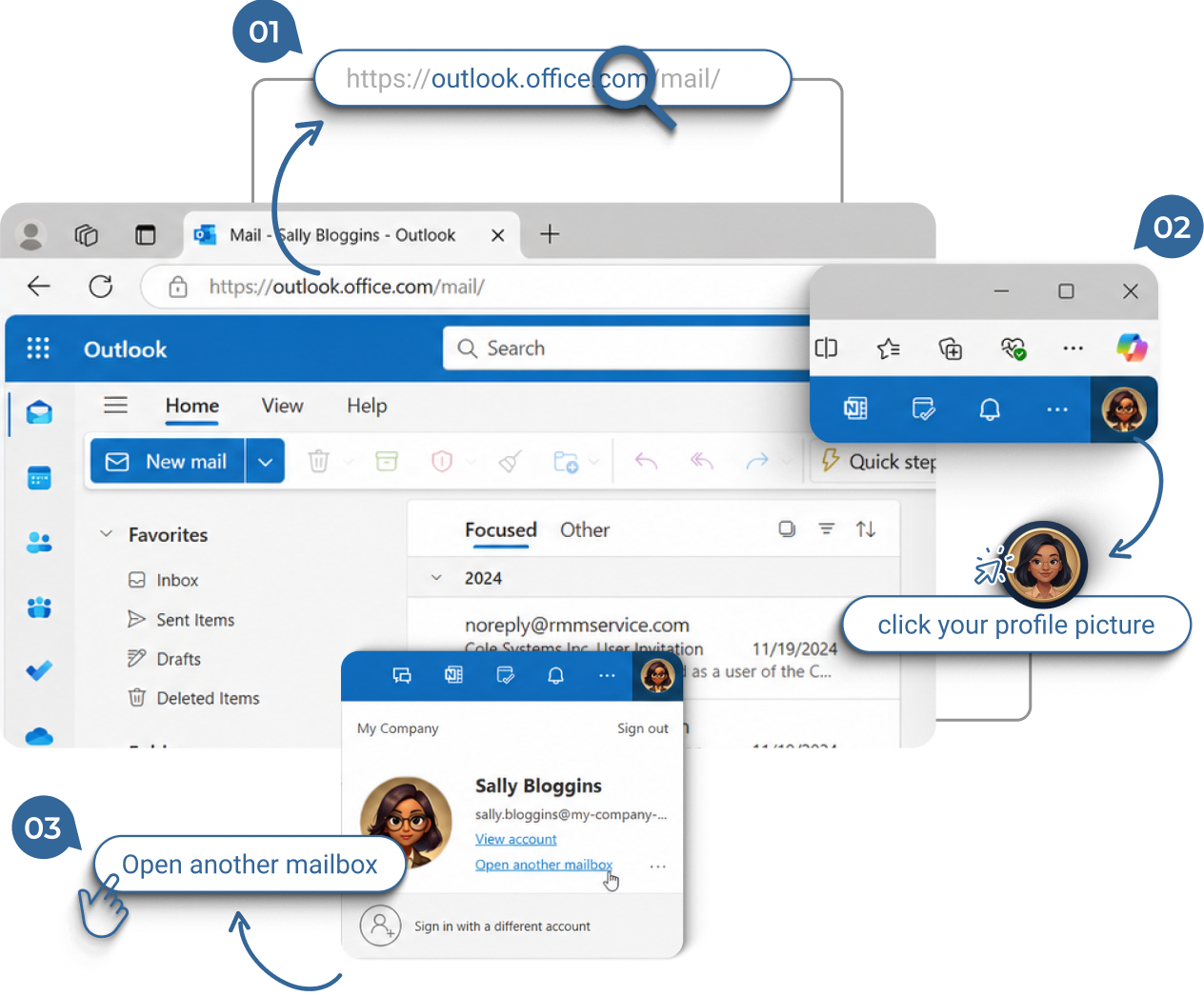
Open Outlook on the Web from your Internet Browser
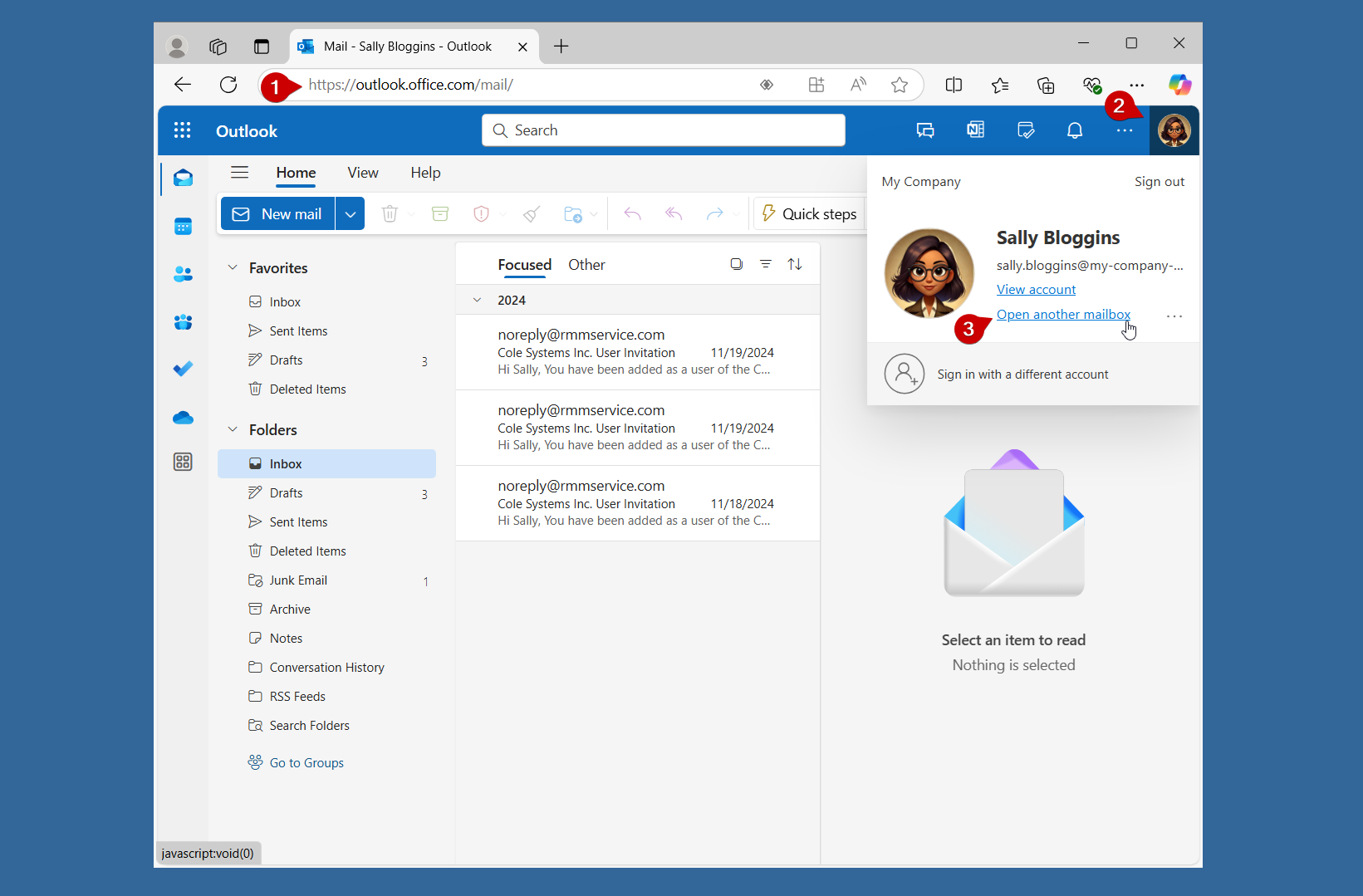
- Enter
https://outlook.office.com/
in the address bar.
- Click on your Profile picture located in the upper right hand corner of the Outlook Menu bar.
- Select “Open another mailbox”.
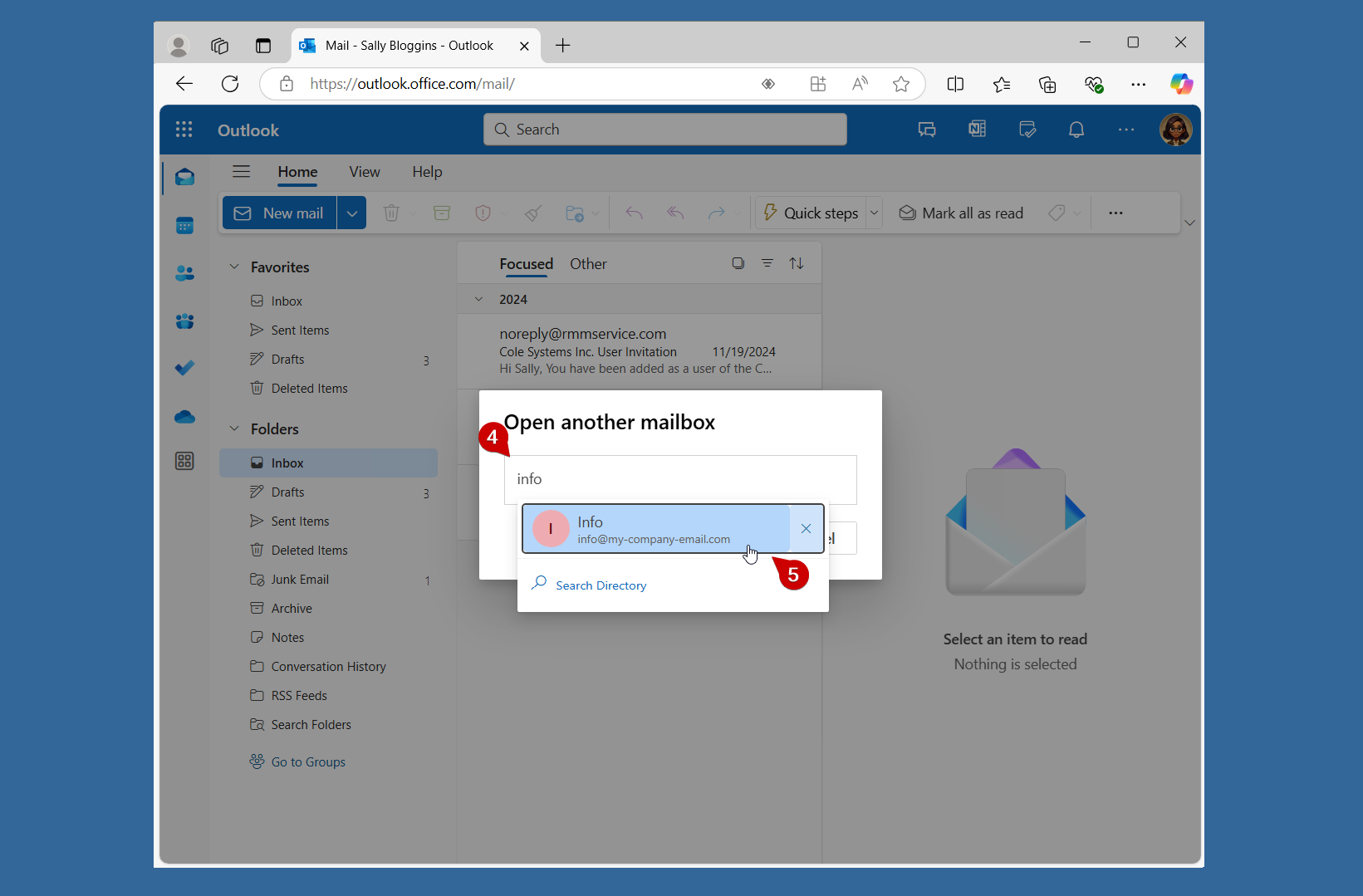
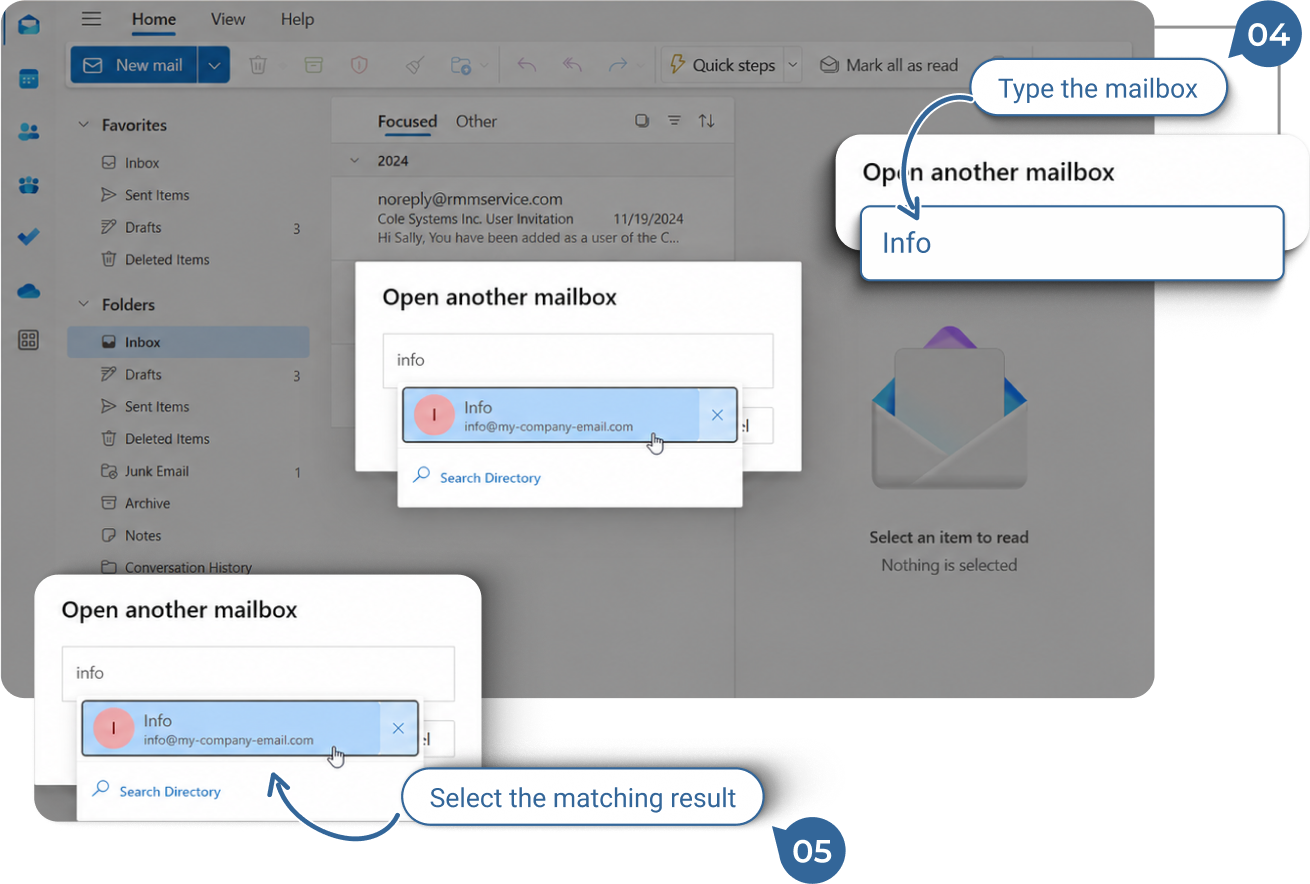
- Enter the address of the shared mailbox in the search box.
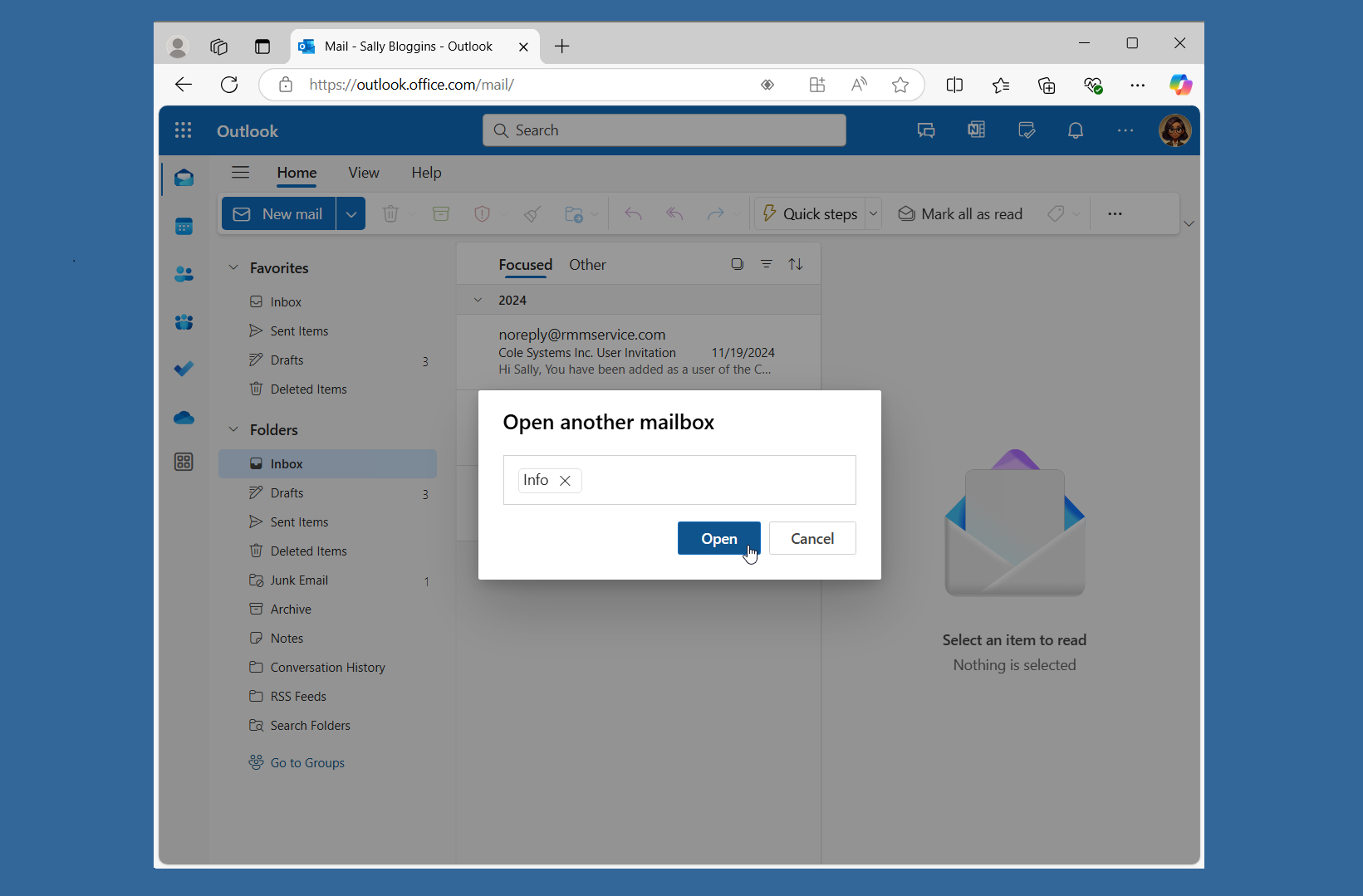
- Select the account when it appears and then click on “Open”.
2.
Shared Mailbox in New Tab
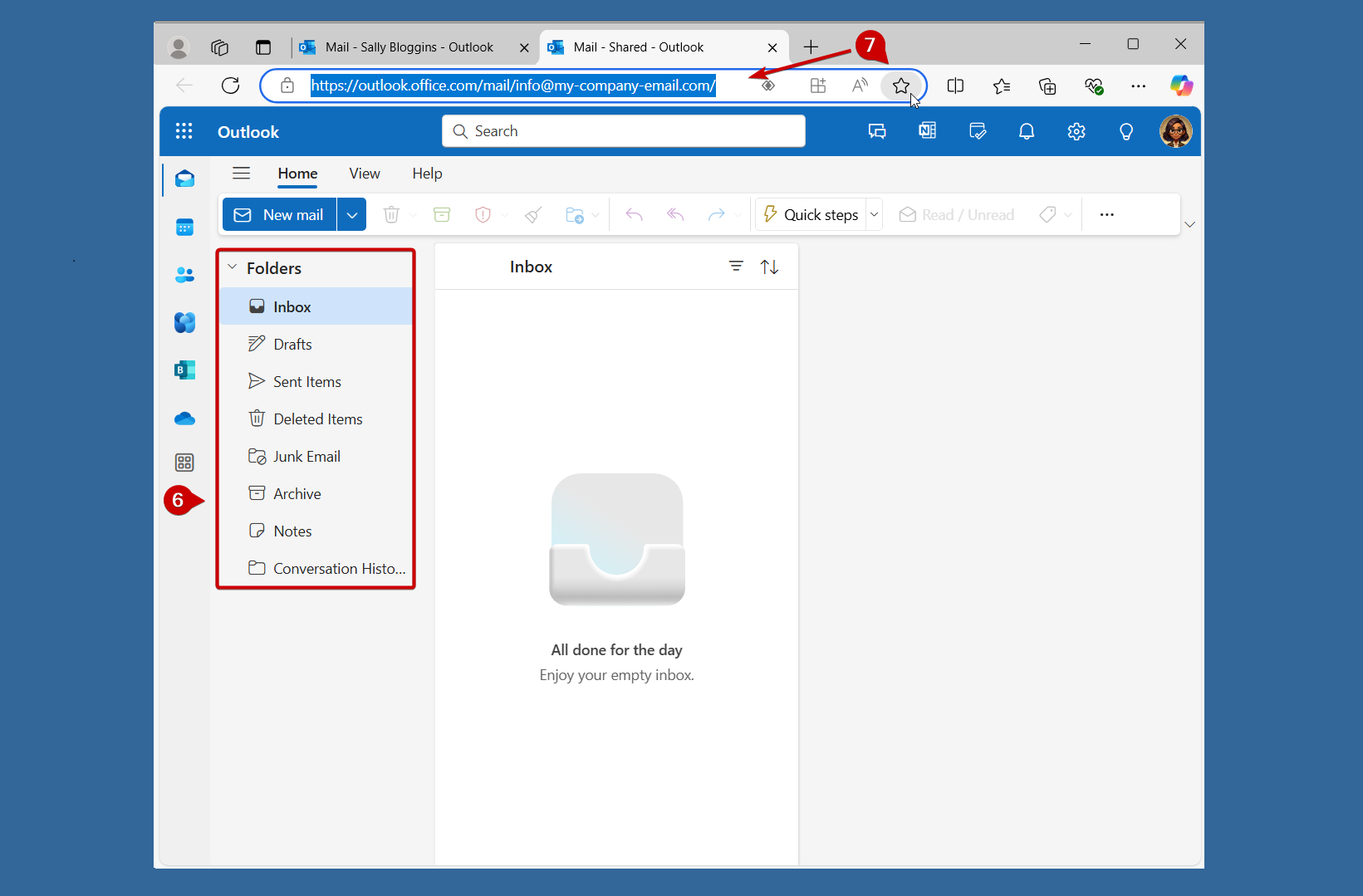
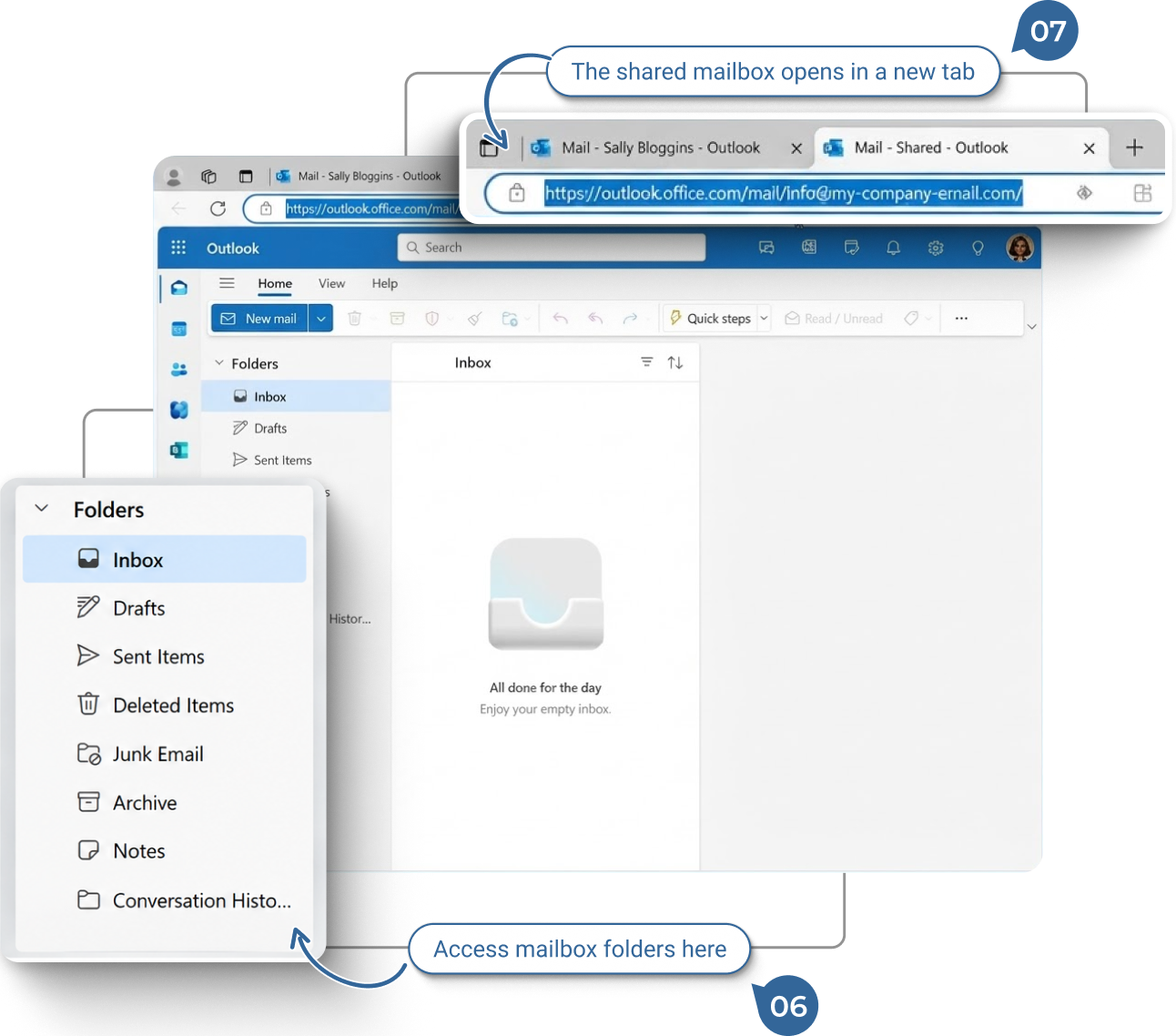
When the shared mailbox opens in a new tab, you’ll have the same access to all its features and functions as you do with your personal mailbox in Outlook on the Web
- Navigate to any folder you like; the same as you would in your own mailbox.
- You can choose to bookmark the URL to allow for one click access to the shared mailbox.
Please note that when in the opened tab for the shared mailbox there are no addditional steps to send new mail from the shared mailbox, unlike Outlook (classic) & (new) where the from address has to be set.