1.
Identify a Suspicious Email
When in Outlook look for these common signs of phishing or malicious emails:
-
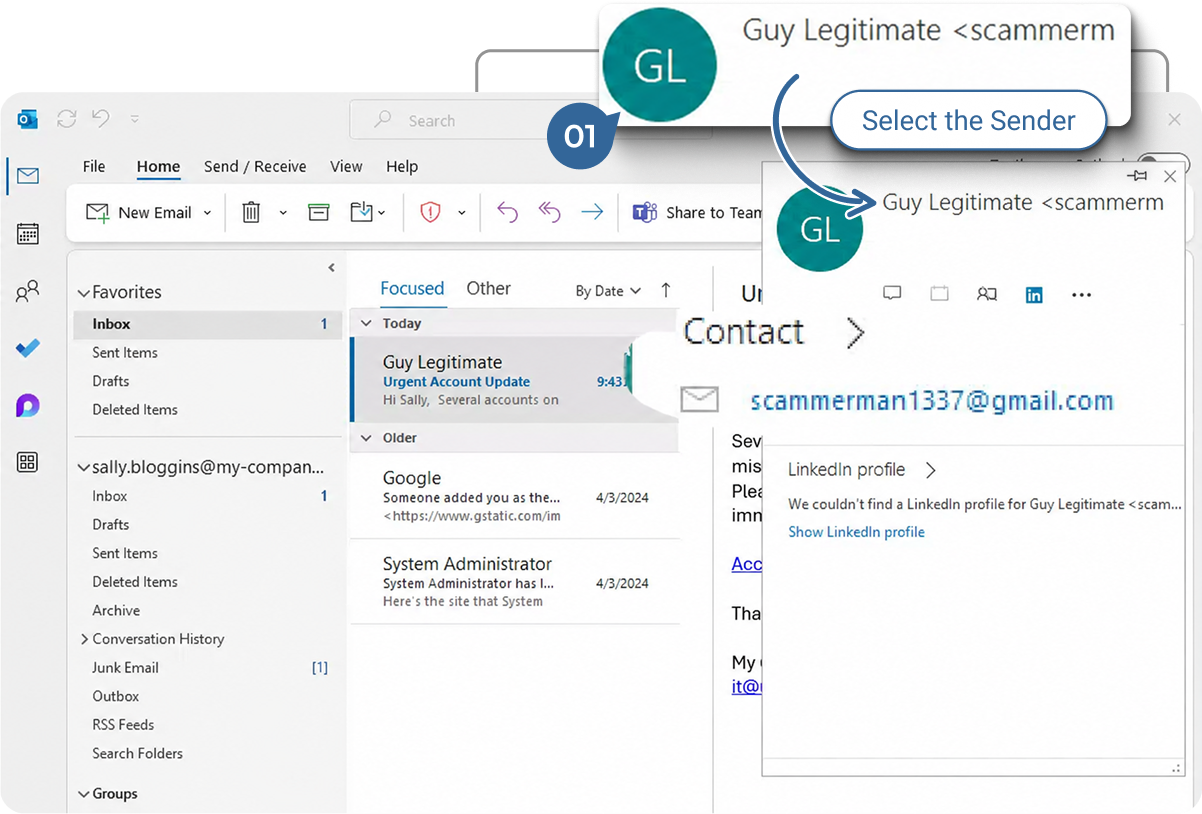
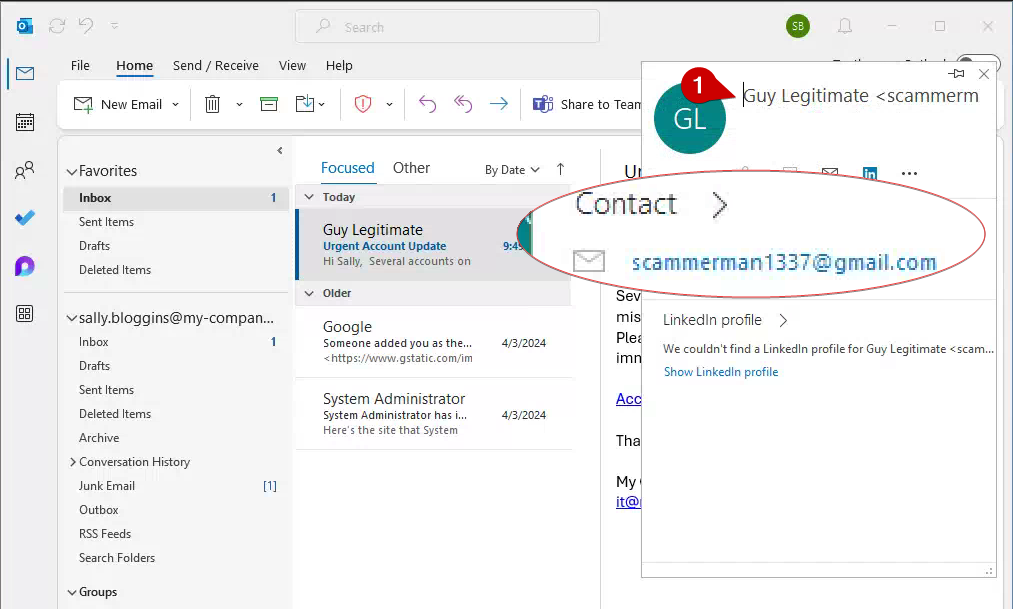
Display Name Doesn’t Match Email Address: The name shown might look familiar, but the email address is different. Hover over the sender’s name to see the actual email address.
-
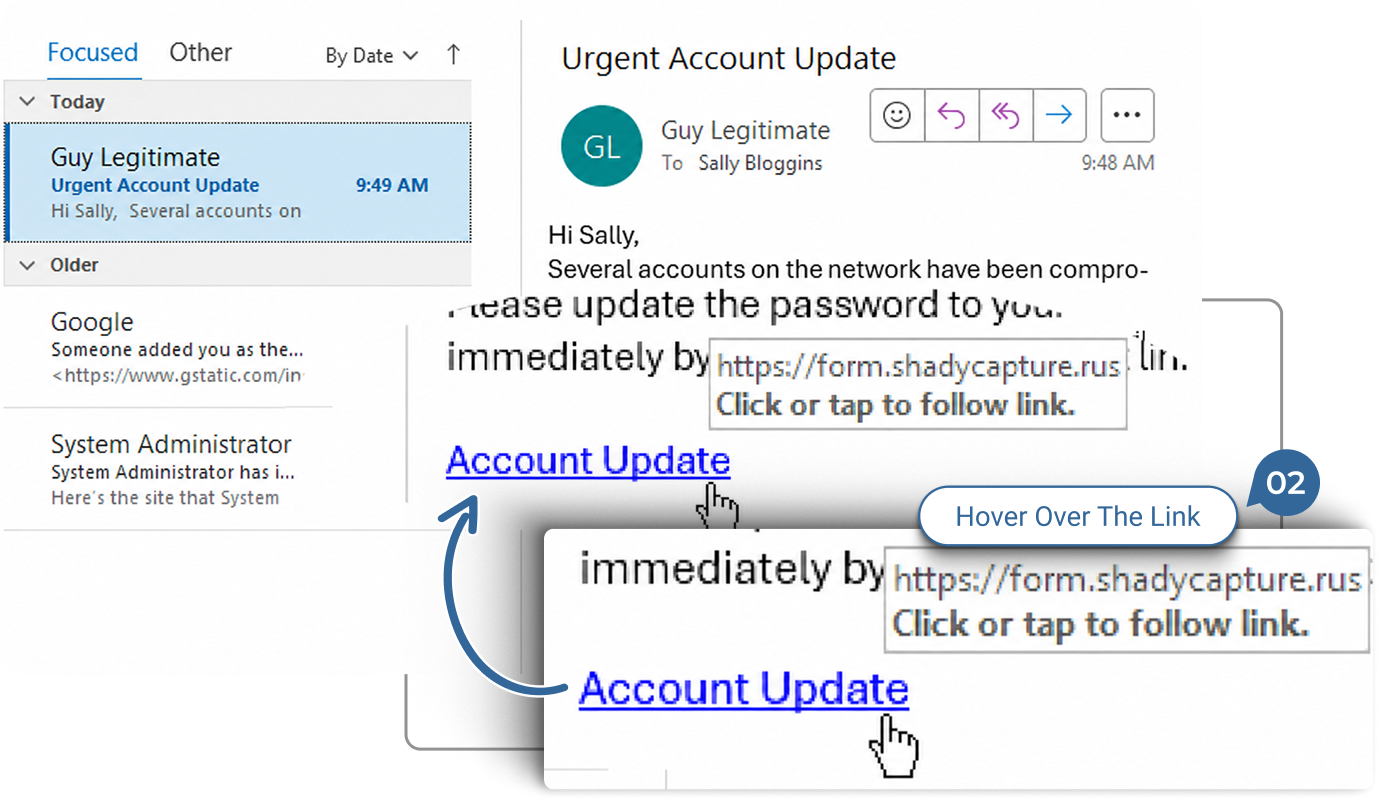
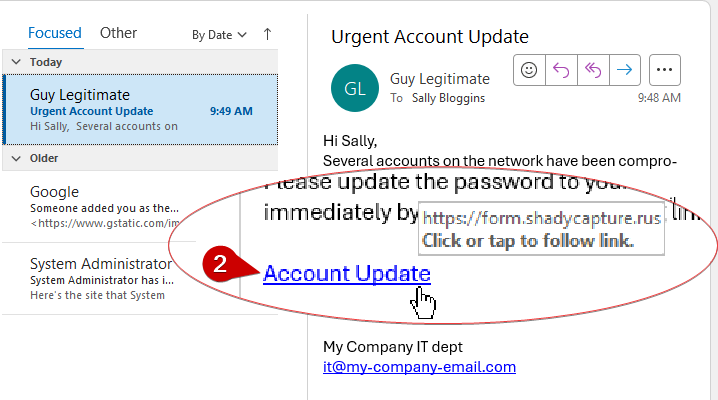
Hyperlink Text Doesn’t Match the URL: Phishing emails often use deceptive link text. Hover over any hyperlinks to see the actual URL; if it looks suspicious or doesn’t match the expected website, it’s a red flag.
-
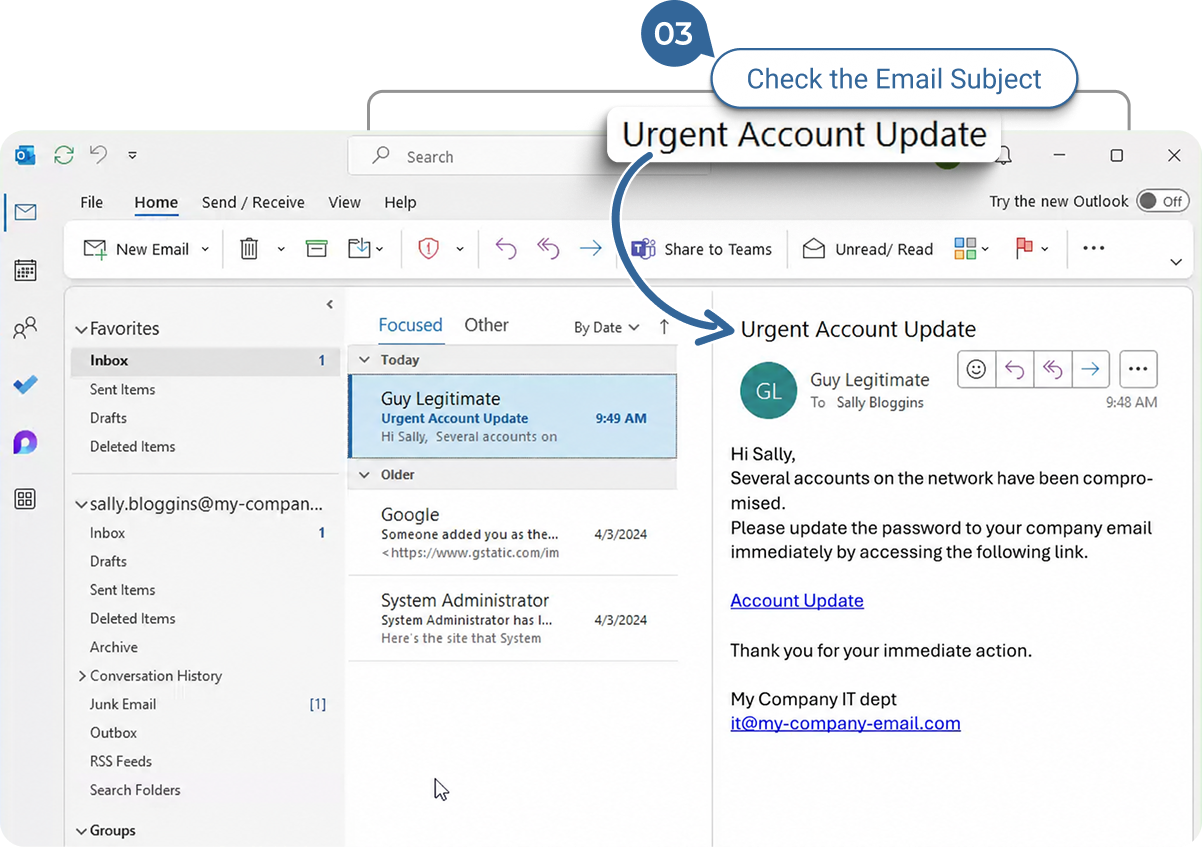
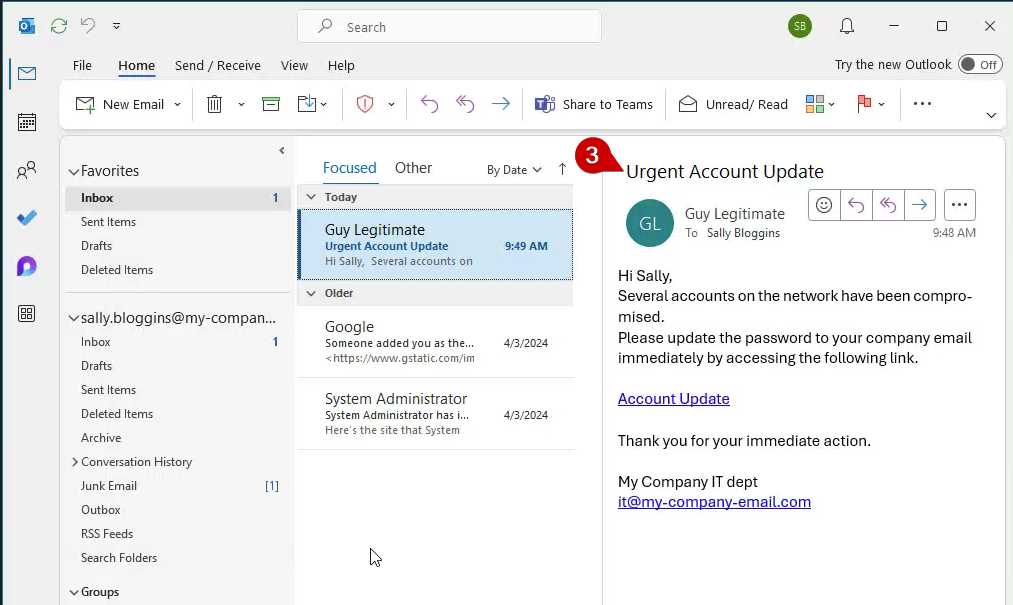
Urgent or Threatening Language: Phishing emails often create a sense of urgency or fear to prompt quick action, such as “Your account will be locked” or “Immediate action required.”
Suspicious Attachments: Unexpected attachments, especially those with extensions like .zip, .exe, or .docm, can be dangerous. Avoid opening attachments you weren’t expecting.
Spelling and Grammar Errors: Phishing emails often contain spelling mistakes or awkward phrasing that wouldn’t be present in legitimate communication.
Requests for Sensitive Information: Legitimate companies will not ask for personal information like passwords, social security numbers, or credit card details via email.
Generic Greetings: Phishing emails often use generic greetings like “Dear Customer” instead of your actual name.
Strange Email Domain: Be cautious if the domain doesn’t match the supposed sender. For example, an email claiming to be from Microsoft but sent from a random domain like “@secure-microsupport.com” is suspicious.
2.
Anatomy of a URL (Web Address)
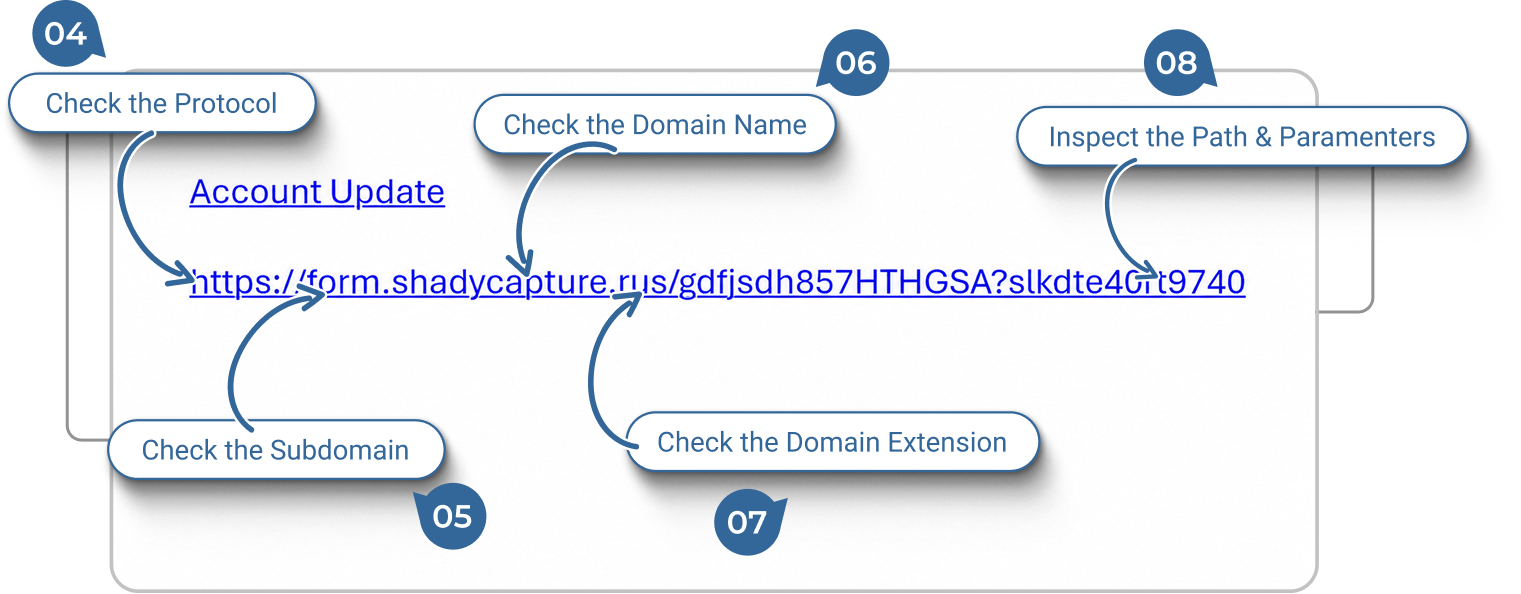
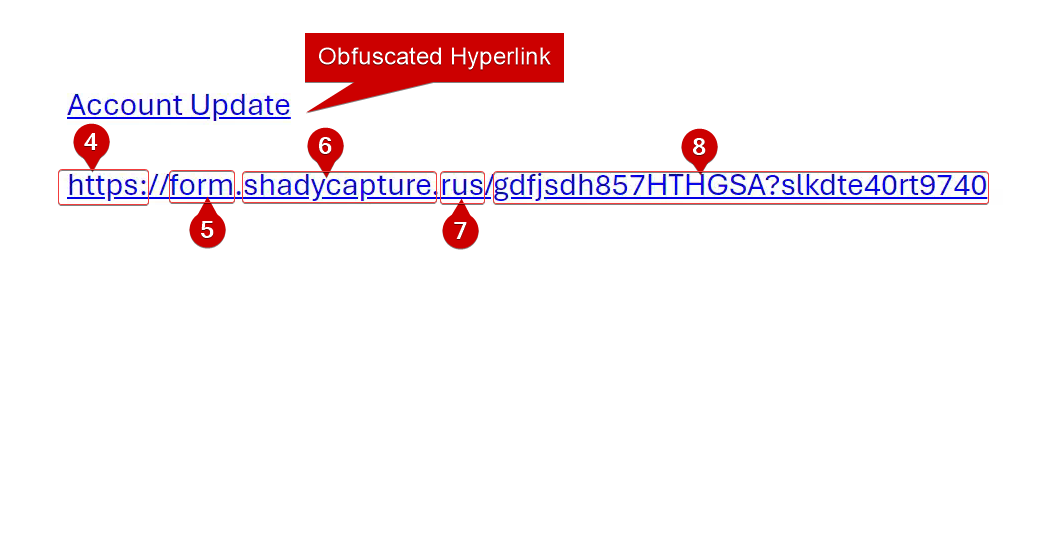
Anatomy of a URL: To better understand what to look for in a suspicious email domain, it’s helpful to understand the anatomy of a URL:
-
Protocol: This is usually “http” or “https”. Secure websites use “https” with the “s” indicating a secure connection.
-
Subdomain: This part comes before the main domain, like “mail” in “mail.example.com”. Be wary of strange subdomains, as attackers often add misleading subdomains to appear legitimate.
-
Domain Name: This is the main part of the URL, such as “example” in “example.com”. Make sure this matches the expected sender.
-
Top-Level Domain (TLD): This is the extension like “.com”, “.org”, or “.net”. Phishing emails may use unusual TLDs or variations of a familiar one.
-
Path: The path comes after the domain and specifies a particular page or location on the website. Be cautious if the path looks strange or includes excessive random characters.
3.
Report a Suspicious Email as Phishing
Open the “Report Phishing” Tool
-
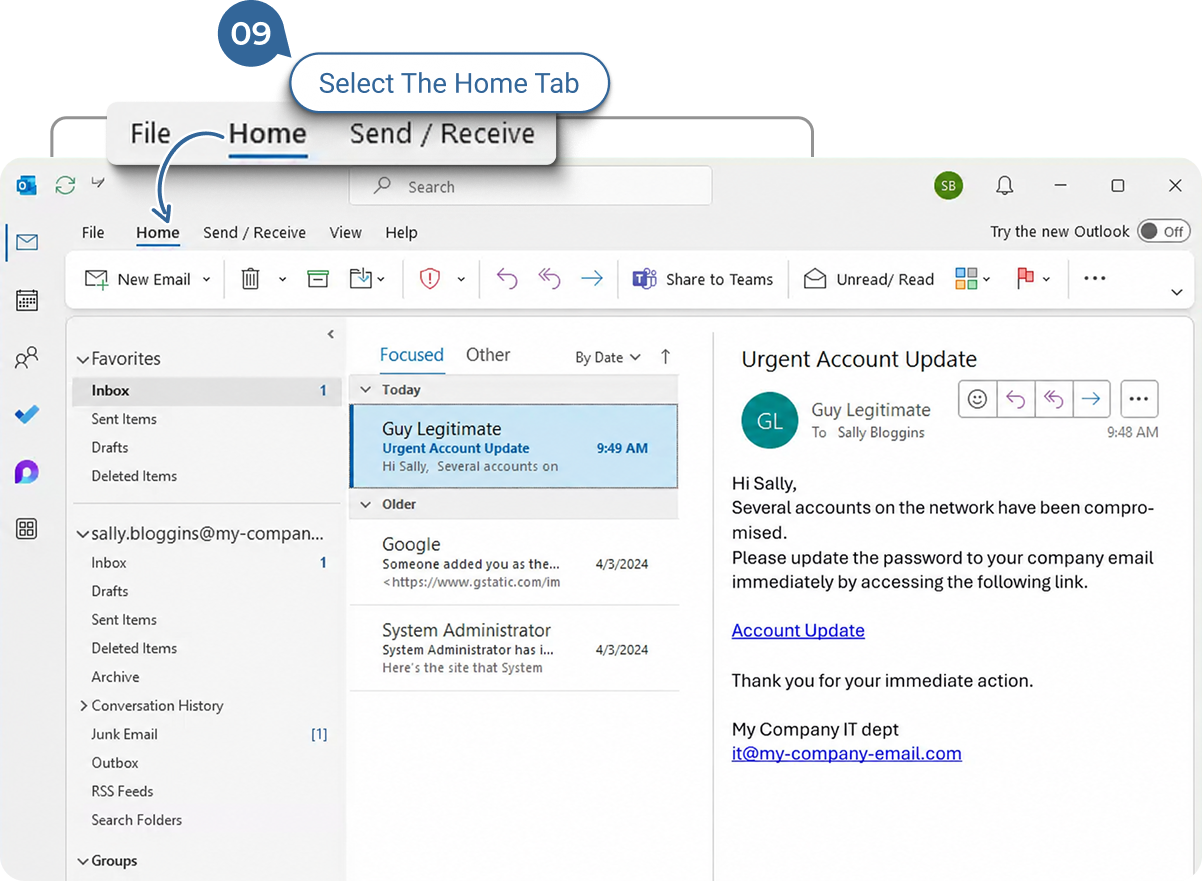
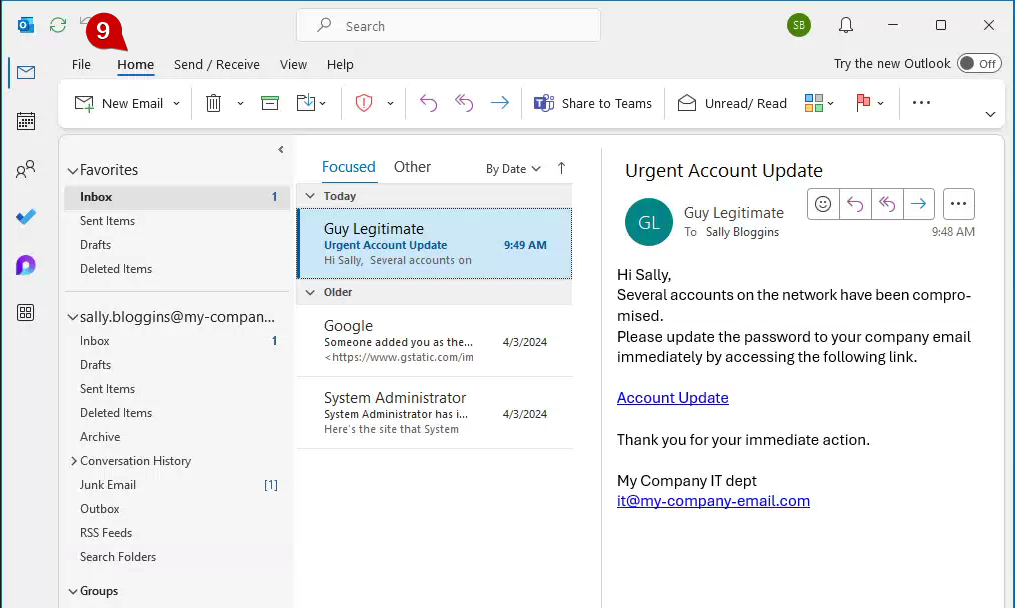
“Home” menu: You will most likely be in the “Home” menu by default, but if you are not, please select “Home” from the upper menu bar.
-
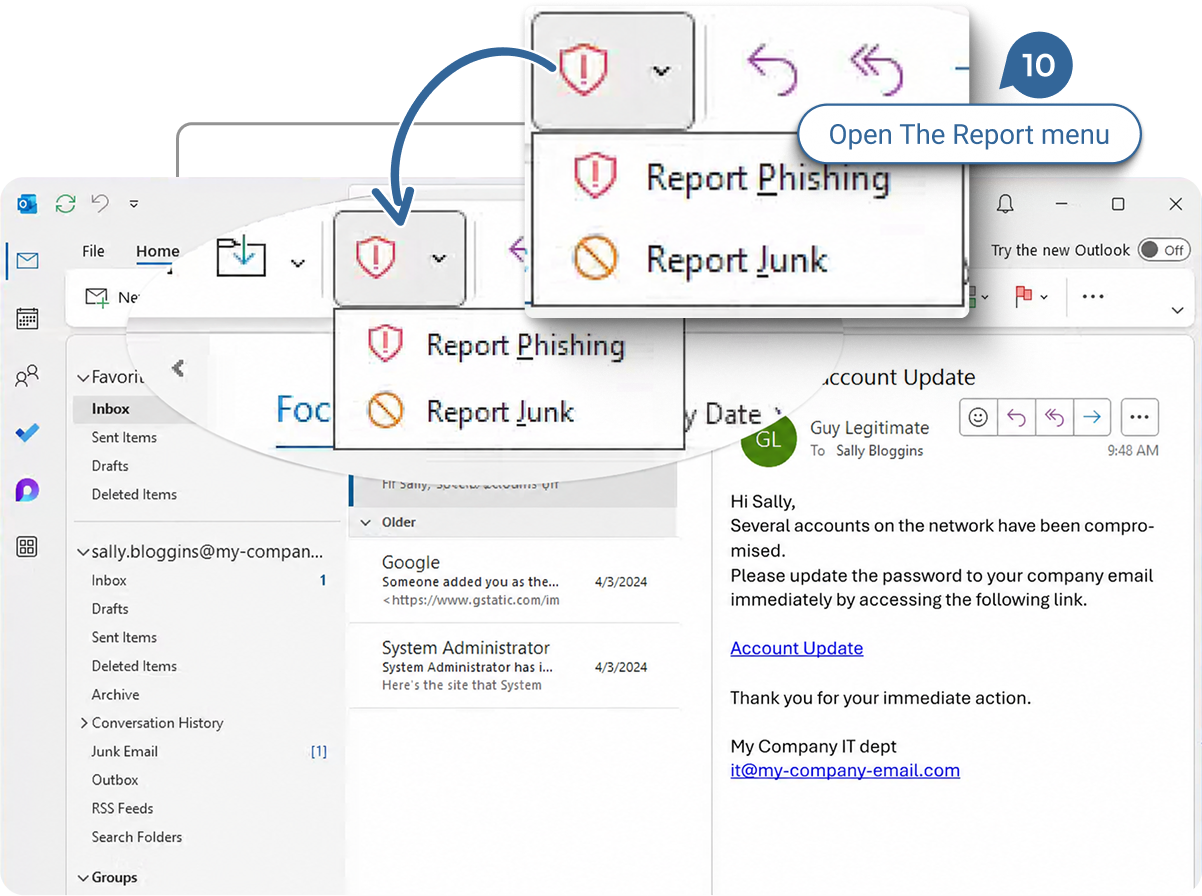
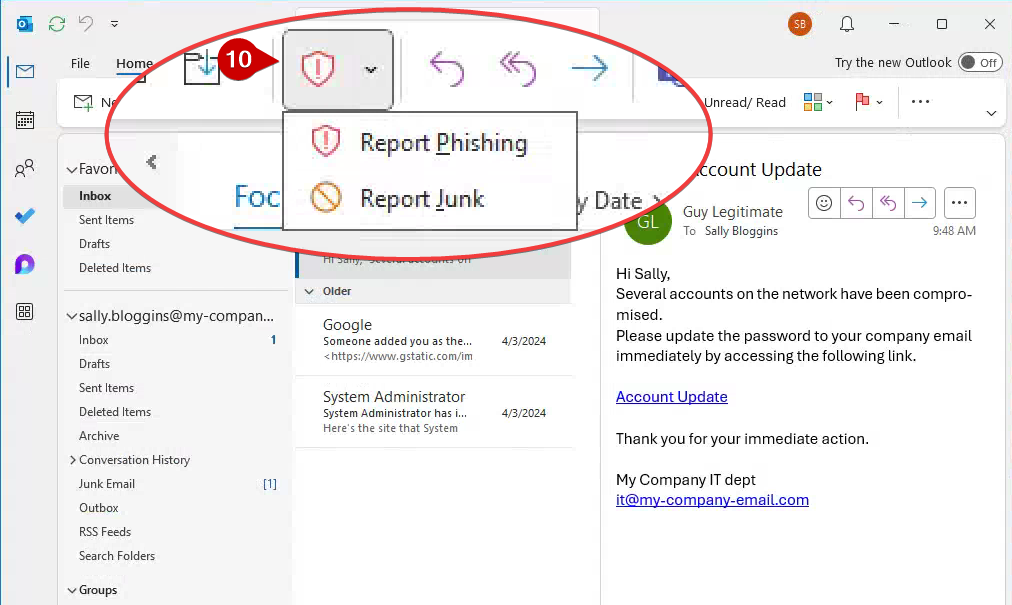
Click the red shield icon to report phishing: Alternatively, click the down arrow next to the red shield icon to see more options, such as “Report Junk.”
-
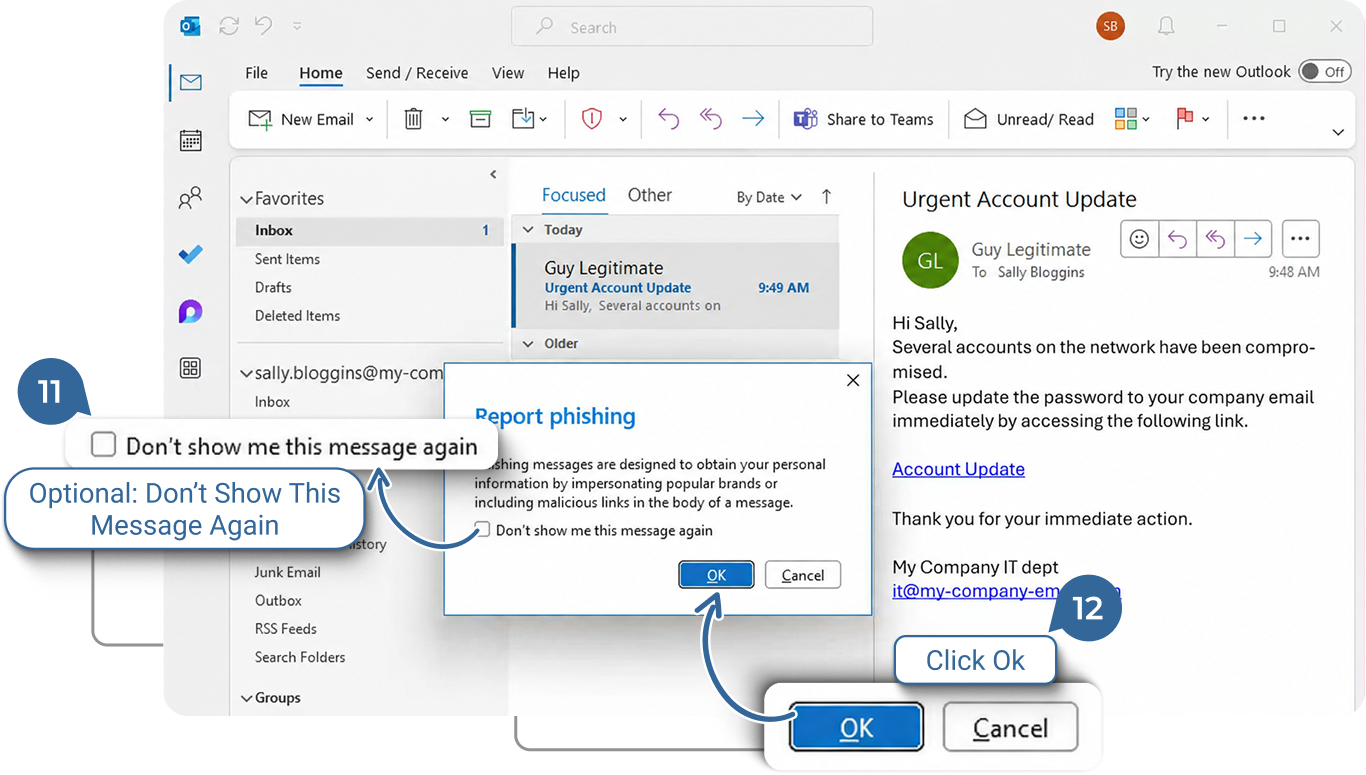
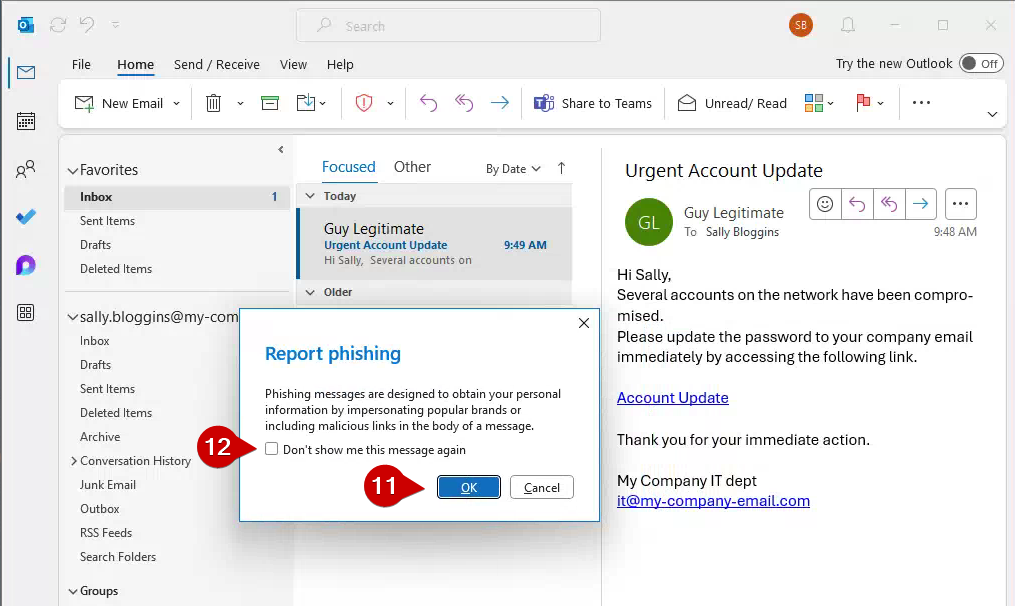
Confirm the Report: After clicking “Report Phishing,” a popup will describe what phishing is.
Click “OK” to proceed. The email will be sent to Microsoft and Cole Systems for investigation.
-
Avoid Skipping Future Notifications: We recommend not selecting “Don’t show me this message again” so you can always double-check before submitting.
-
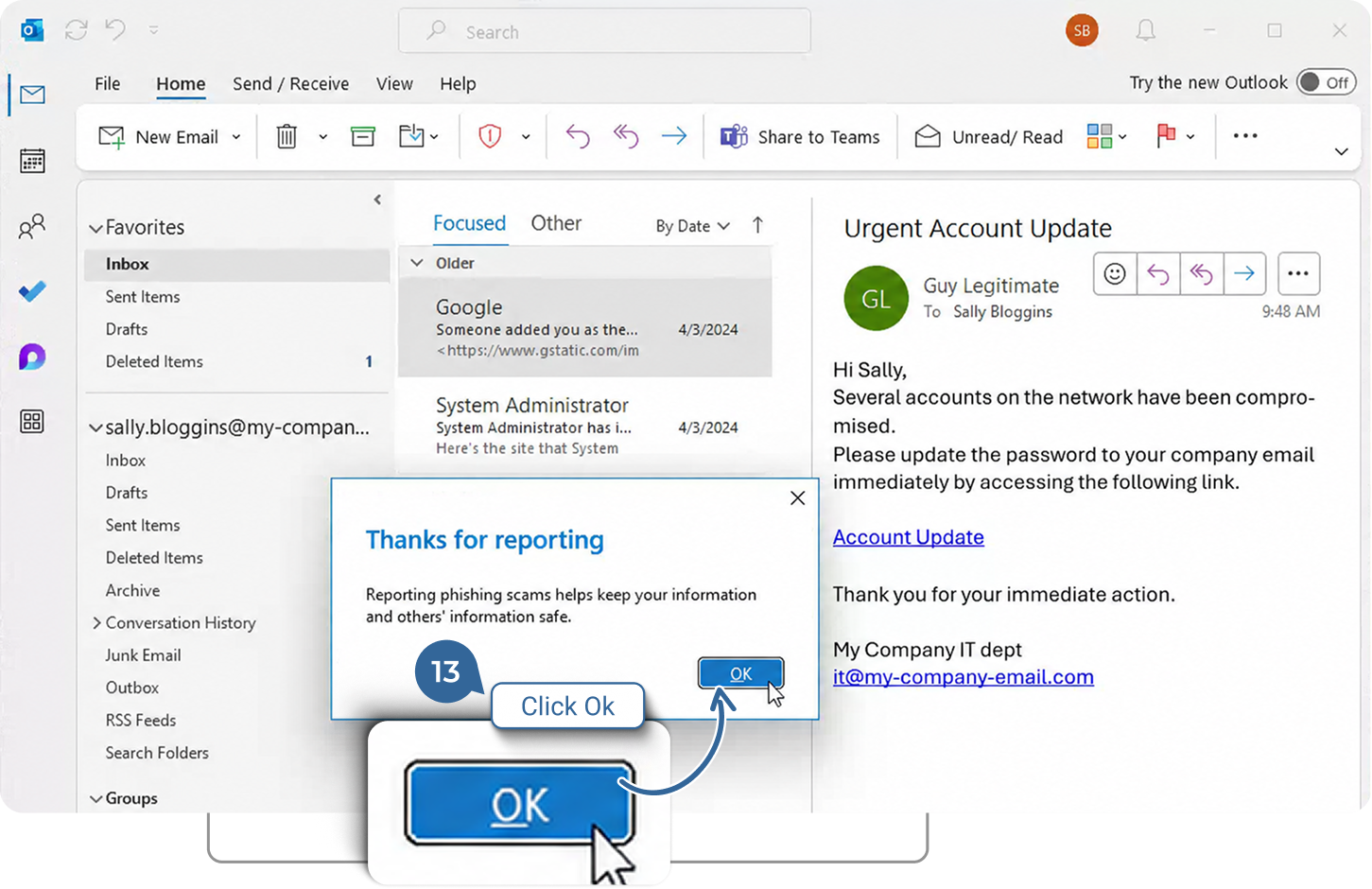
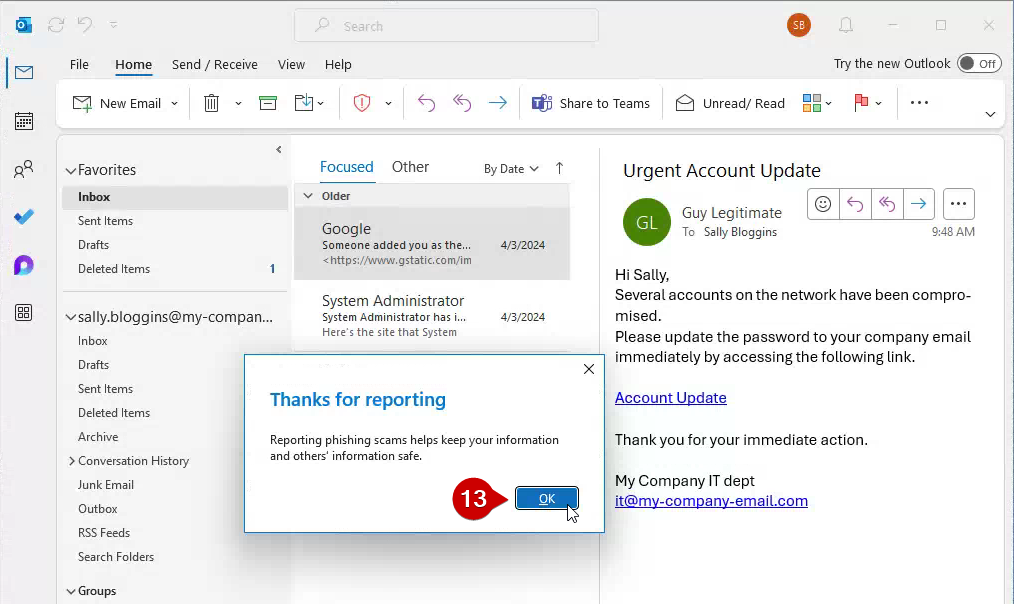
Final Notification: You will receive a confirmation popup thanking you for reporting.
The reported message will then be automatically moved to your “Deleted” folder.